 Nash
Nash
Nash WalletConnect for Mobile dApp Connections and Signing
Nash WalletConnect links a compatible dApp to the Nash mobile wallet so you can review and authorize its requests on your phone. The dApp provides its interface, while the wallet handles transaction signing through multi-party computation (MPC). QR pairing starts the connection process without handing your full private key to the application. A shared network and supported request methods are prerequisites; displaying a WalletConnect button does not prove full compatibility. Review the account and network before accepting a request, then judge each signature by the authority it grants. An active session establishes communication, not completion of a swap or deposit.
Disconnecting a WalletConnect session leaves existing on-chain token allowances unchanged, so session removal and permission revocation serve different purposes.
The dApp interface and the mobile signing wallet
The dApp prepares requests for its chosen operation, and WalletConnect carries those requests to Nash's mobile wallet for authorization. This arrangement keeps the application interface and wallet signing controls in separate places. A token swap changes holdings when its contract operation succeeds. A lending application uses lending contracts to handle deposits and withdrawals. WalletConnect also differs from entering a swap or earnings operation through Nash's built-in services. Those services have their own workflows; the connected application determines the external operation and its requirements.
Which dApps can connect to the Nash mobile wallet?
A dApp can connect when Nash supports the requested connection protocol, blockchain, and required operations, and you approve the proposed session.
Required and optional permissions
WalletConnect sessions identify authorized accounts, networks, and request methods. A dApp can declare some requirements essential and others optional. Missing a required method can prevent a session even when the wallet supports the blockchain. Optional session permissions need not all receive approval. Compatibility therefore includes the intended operation: access to a displayed account does not establish support for every transaction format that the application uses.
Wallet support and application support
Nash enabled Solana DeFi access through WalletConnect in 2025. Each application and wallet release determines the usable combination of networks and operations. A wallet may hold an asset without supporting every application that uses it, while a dApp may request an account or method outside the connection's approved scope.
QR pairing and session approval
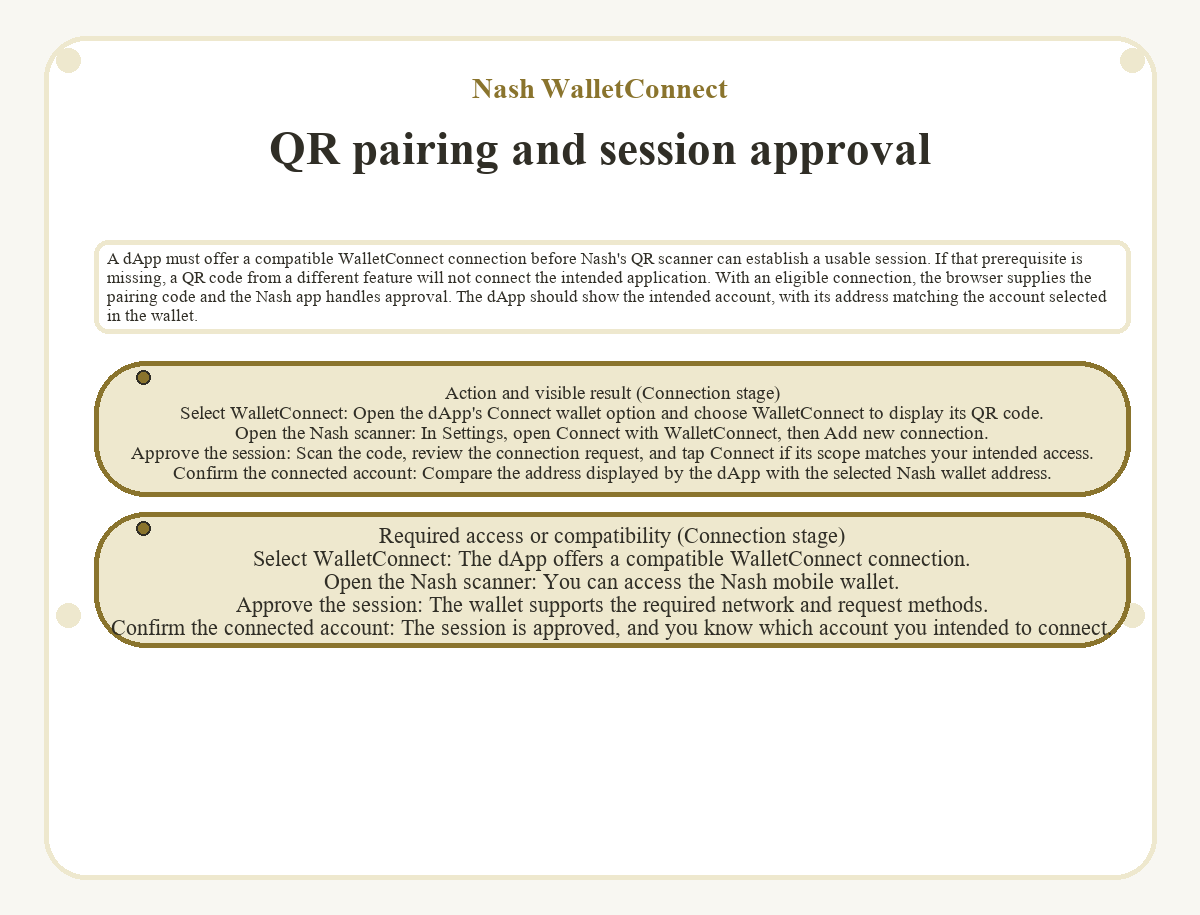
A dApp must offer a compatible WalletConnect connection before Nash's QR scanner can establish a usable session. If that prerequisite is missing, a QR code from a different feature will not connect the intended application. With an eligible connection, the browser supplies the pairing code and the Nash app handles approval. The dApp should show the intended account, with its address matching the account selected in the wallet.
| Connection stage | Action and visible result | Required access or compatibility |
|---|---|---|
| Select WalletConnect | Open the dApp's Connect wallet option and choose WalletConnect to display its QR code. | The dApp offers a compatible WalletConnect connection. |
| Open the Nash scanner | In Settings, open Connect with WalletConnect, then Add new connection. | You can access the Nash mobile wallet. |
| Approve the session | Scan the code, review the connection request, and tap Connect if its scope matches your intended access. | The wallet supports the required network and request methods. |
| Confirm the connected account | Compare the address displayed by the dApp with the selected Nash wallet address. | The session is approved, and you know which account you intended to connect. |
MPC signing and private-key exposure
MPC protects the private key during signing; the transaction's destination and permissions still determine what an approved dApp action can do.
Separate signing shares
The user holds one signing share, and Nash holds the other. Each share alone cannot produce the wallet's valid transaction signature. Nash signs WalletConnect transactions using multi-party computation. The dApp receives the response to its request without receiving the full private key. This avoids importing that key into a browser extension merely to connect an existing wallet. The signing path relies on both parties completing their contributions, which makes service availability relevant.
The transaction that a signature permits
A valid MPC signature can authorize a harmful request if you approve its contents. An incorrect recipient or excessive spending permission remains consequential after signing succeeds. The signing mechanism does not certify a lending contract or establish the outcome of a swap. Read the requested authority in the context of the operation, especially when an application asks for access beyond the amount or asset involved.
What does a dApp request authorize?
Approving a connection request authorizes session permissions; approving a signing request authorizes the wallet to sign a specific message or transaction using a supported method. An address shown in a browser establishes which account is connected. It does not describe the authority that a later signature grants.
Connection permissions
A session lets the application send requests within its approved scope. WalletConnect integrations can combine connection and authentication prompts. Read every requested authorization in a combined prompt because one interface action can cover several purposes. The number of taps does not establish whether you approved only communication or also a signed statement.
Messages and transaction requests
Message signing creates a signature over data; transaction signing authorizes a blockchain operation. A login message can prove control of an address. Another signed message can grant token spending authority where the token contract supports that mechanism. Its contents determine the effect. A request without an immediate network charge can still carry consequential authorization, so the absence of a fee prompt alone does not establish that a signature only authenticates a login.
Token spending permissions
For ERC-20 tokens, an allowance defines how much a specified spender may transfer from the account. That spender is the address authorized by the token contract, not necessarily the final recipient of a swap. Inspect the token, spender, and amount separately. A permission covering more tokens than the intended operation exposes that broader amount to the approved spender.
Some tokens support signature-based permits that a contract can later apply. This can remove a separate approval transaction from the user-facing flow when the token, wallet, and application support the required mechanism. Other integrations use an approval transaction. The contract design and available signing methods determine the route; separate conceptual permissions do not always require separate interface actions.
Network fees and application charges
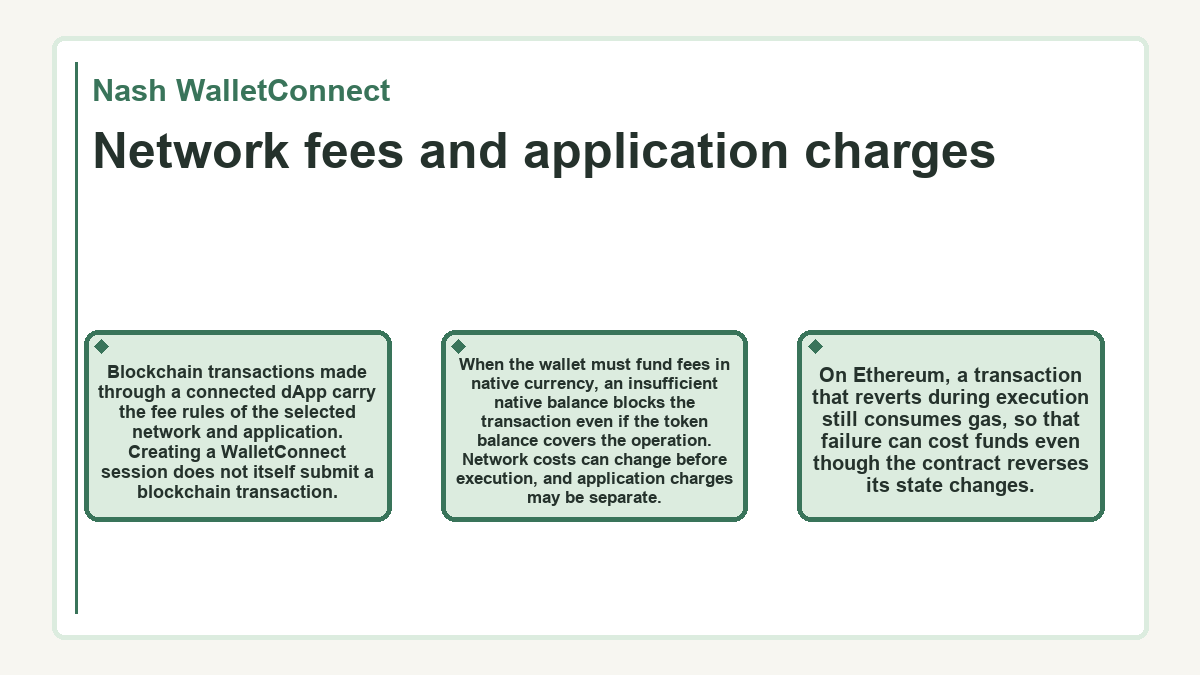
Blockchain transactions made through a connected dApp carry the fee rules of the selected network and application. Creating a WalletConnect session does not itself submit a blockchain transaction. When the wallet must fund fees in native currency, an insufficient native balance blocks the transaction even if the token balance covers the operation. Network costs can change before execution, and application charges may be separate. On Ethereum, a transaction that reverts during execution still consumes gas, so that failure can cost funds even though the contract reverses its state changes.
The connected account after a chain change
Changing the dApp's selected network may require updating the active WalletConnect session in Nash so the application receives the account for that blockchain. The connection controls sit under Settings and Connect with WalletConnect. Active-wallet controls include wallet selection and Update session. These controls determine the connection's account scope; they do not bridge assets between chains. The selected account must belong to the network that the intended operation uses.
An identical-looking address on different networks can have different balances. The network holding the assets must match the network targeted by the operation. A wallet's total portfolio value therefore does not establish the spendable balance for a particular dApp request. An unexpected balance display can reflect the selected chain or account, which is a different problem from a failed transfer.
Why does a WalletConnect session stop responding?
A session can stop responding when it expires or a peer loses connectivity. Incompatible protocol versions can prevent a connection. A request outside the approved scope can be rejected while the session remains active. A readable QR code establishes that pairing information is available; it does not prove that the application and wallet can settle the proposed session.
Nash introduced WalletConnect v2 support, while the public WalletConnect v1 relay service has shut down. A connection tied to that retired service cannot operate through it. Repeated approval attempts cannot add a blockchain or request method that the wallet lacks. Keeping the mobile app available for requests also matters because the dApp needs a response from its signing wallet.
A disconnected session and a pending blockchain transaction require different checks. The session concerns communication with the application. A transaction already submitted to the network has its own status, independent of whether the browser still displays a connected wallet. After reconnecting, check the submitted transaction's status before sending the same operation again.
Disconnecting and outstanding on-chain permissions
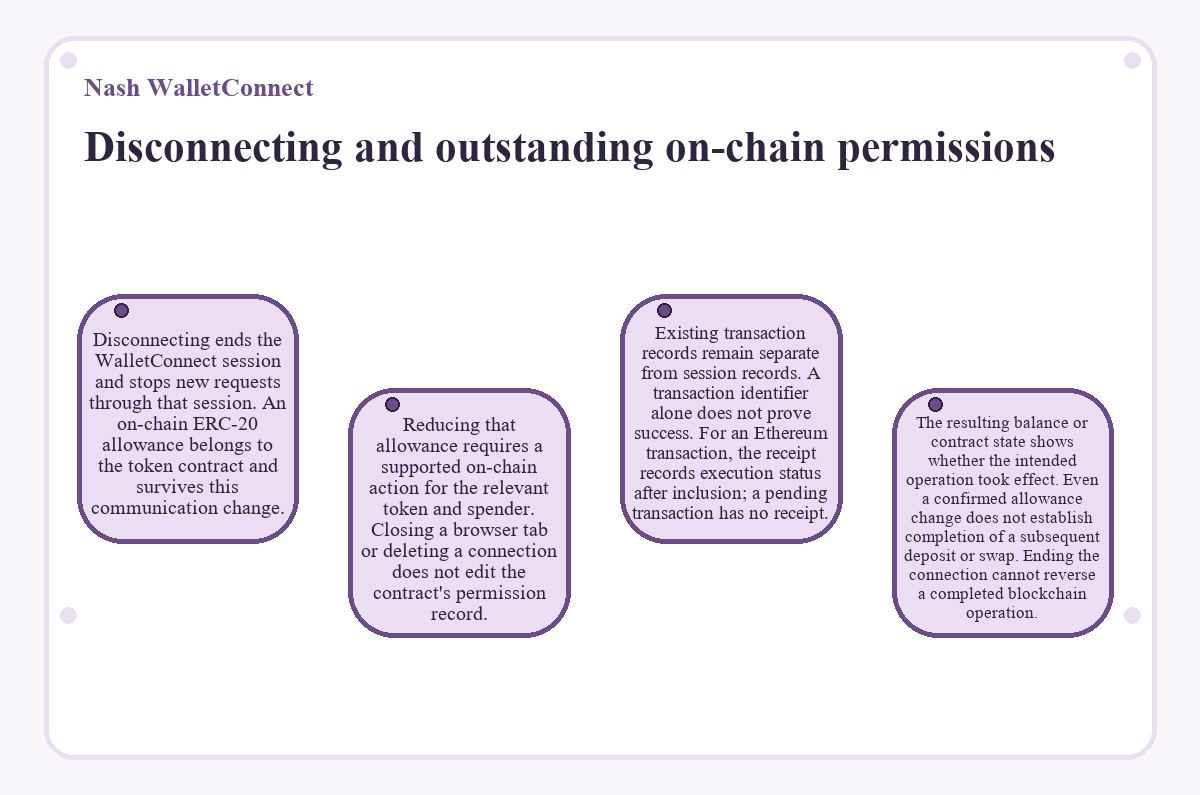
Disconnecting ends the WalletConnect session and stops new requests through that session. An on-chain ERC-20 allowance belongs to the token contract and survives this communication change. Reducing that allowance requires a supported on-chain action for the relevant token and spender. Closing a browser tab or deleting a connection does not edit the contract's permission record.
Existing transaction records remain separate from session records. A transaction identifier alone does not prove success. For an Ethereum transaction, the receipt records execution status after inclusion; a pending transaction has no receipt. The resulting balance or contract state shows whether the intended operation took effect. Even a confirmed allowance change does not establish completion of a subsequent deposit or swap. Ending the connection cannot reverse a completed blockchain operation.
Quick answers about Nash WalletConnect
Can I connect a dApp without buying crypto through Nash?
Buying crypto through Nash is not a prerequisite for using its wallet with WalletConnect. The wallet can hold assets acquired elsewhere, subject to supported assets and networks. Nash's fiat purchasing availability and an external dApp connection have different requirements. A transaction may still require an appropriate asset balance and network-fee funding.
Does the QR connection require a browser extension on my computer?
The QR connection uses the Nash mobile app as the wallet, so it does not require a wallet browser extension on your computer. A compatible dApp can display its pairing code in the browser while Nash handles the wallet-side connection. The application must offer the corresponding WalletConnect option.
Will connecting through Nash WalletConnect require entering my recovery phrase into a dApp?
The WalletConnect connection does not require giving a dApp your recovery phrase or full private key. QR pairing and approval in the mobile wallet establish the session. A webpage requesting those secrets is asking for access beyond that connection. Entering them would expose control of the wallet rather than merely identify its account.
Can disconnecting WalletConnect cancel a transaction that I already submitted?
Disconnecting WalletConnect does not itself cancel a transaction submitted to the blockchain. It closes the communication session. A pending transaction retains its network status, and a completed transaction retains its effects. Any available replacement or cancellation mechanism depends on the network and wallet interface, separately from session removal.
How much transaction history can a connected dApp see?
A dApp that learns your public address can examine the account's publicly accessible blockchain history. On a transparent network, that can include transfers and contract interactions visible for that address. Keeping the private key secret protects signing authority; it does not hide public records. Disconnecting cannot erase information that the application has already learned.